
Back to Amazon Music RPC
Compatibility notice

Use the Microsoft Store Amazon Music app for enhanced metadata

Amazon Music RPC can still run in fallback mode with Windows media metadata, but the enhanced metadata launcher is currently built and tested for the Microsoft Store version of Amazon Music.

What is happening?

Enhanced metadata starts Amazon Music with a local metadata/debug flag so Amazon Music RPC can read richer title, album, artwork, pause state, and timer data. The Microsoft Store app accepts this route. Some desktop installer builds do not.
What should I do?

  • Install Amazon Music from the Microsoft Store if you want enhanced metadata.
  • Or turn off Enhanced Amazon metadata in Settings and use fallback mode.
  • Fallback mode can still show basic Discord presence through Windows media metadata.

Example error

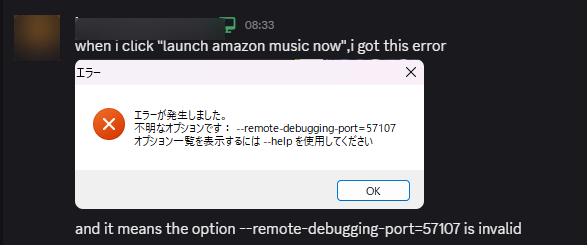
The desktop installer version may report that the metadata flag is unavailable.

Redacted screenshot of Amazon Music rejecting the remote debugging metadata launch flag

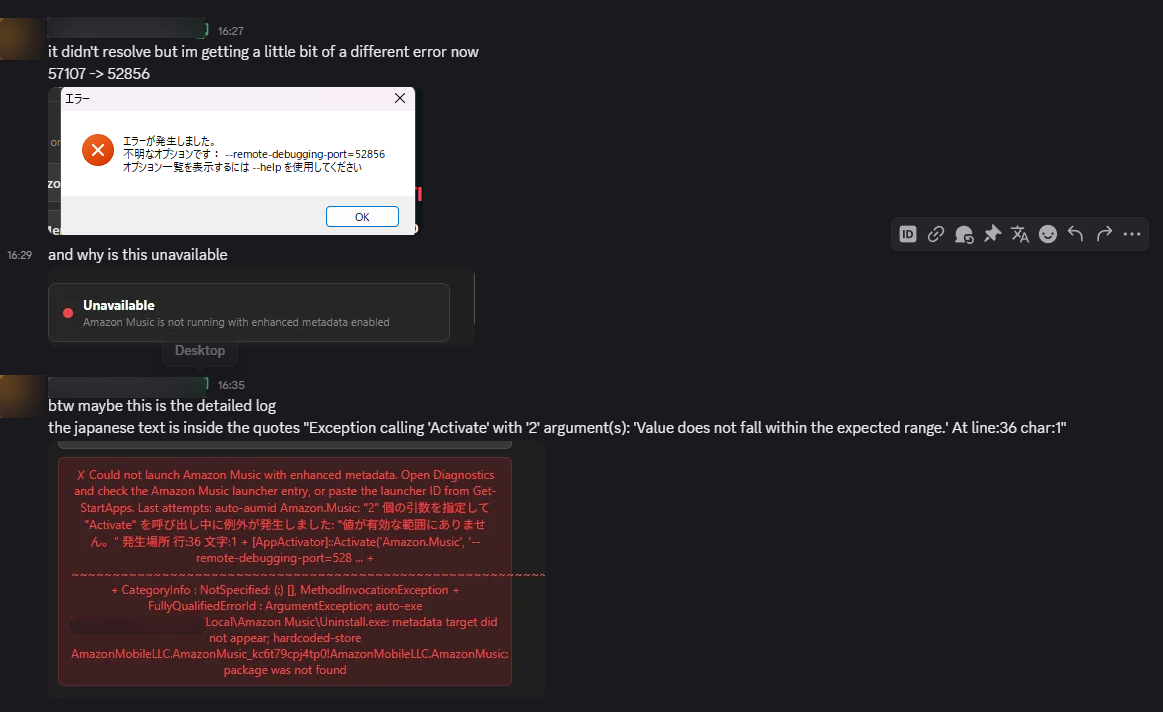
Diagnostics may show unavailable metadata

When Amazon Music cannot be launched with enhanced metadata, Diagnostics can show unavailable metadata or launcher errors. This is usually a launcher compatibility problem, not a Discord problem.

Redacted screenshot of Amazon Music RPC diagnostics showing enhanced metadata launch failure